

Can you use an eSIM adapter without cutting your physical SIM?
Yes, you can use an eSIM adapter without cutting your existing physical SIM: remove the carrier SIM and insert the adapter into a compatible physical SIM slot. Your original SIM stays intact, but the adapter still occupies a physical slot. If you mean an eSIM adapter without physical SIM hardware or a SIM tray, a removable adapter is not the right solution; use your phone’s native eSIM support if it has it.
- An esim adapter without physical sim cutting replaces your carrier card; it does not eliminate the physical SIM-slot requirement.
- Switch Pro suits Android-based profile management; Switch Max extends use to compatible iPhones with physical SIM trays.
- The Bluetooth reader loads profiles without an Android phone; it does not replace the adapter inside your device.
- Switchesim eSIM adapters suit multi-profile users with compatible physical SIM slots, not phones without SIM trays.
Can you use an eSIM adapter without cutting your physical SIM?
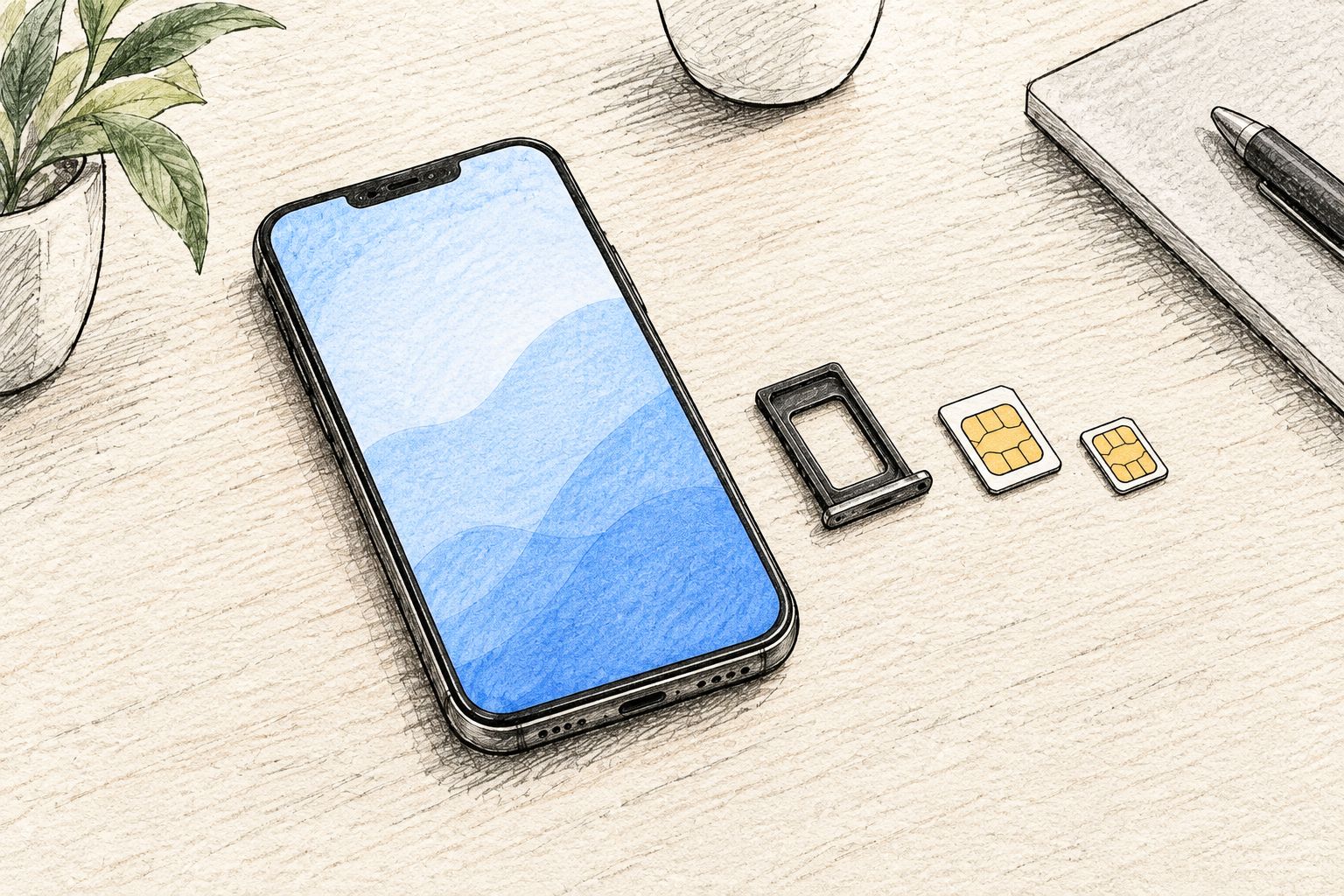
You do not cut, attach or convert your existing carrier SIM. A removable eSIM adapter is a separate card. You put the adapter in the slot that would otherwise hold a carrier SIM, then use a supported method to load and manage eSIM profiles.
The useful comparison is not cutting versus keeping your SIM. It is which hardware handles the profiles, which device manages them, and whether your phone can use the configured card.
| Option | Best for | Profile-loading or management path | Main benefit | Main limitation |
|---|---|---|---|---|
| Switch Pro | Compatible Android users | Android-based management through the Switch Android app | Adds a removable eSIM-profile route | Requires compatible hardware and an Android management path |
| Switch Max | Compatible iPhone users with a physical SIM tray | Use a configured Max card; choose a supported provisioning method | Extends adapter use to compatible iPhones | Does not fit an iPhone without a physical SIM tray |
| Bluetooth reader | Users loading profiles without an Android phone | Reader-based provisioning | Separates profile loading from Android-phone ownership | Does not replace the adapter or the target device’s SIM slot |
| Native eSIM | Users whose phones already support the required eSIM service | The phone’s supported eSIM setup process | Does not occupy a removable SIM slot | Depends on phone, regional variant and provider support |
Switchesim describes these as distinct setup paths. Do not treat Android profile management, iPhone use and Bluetooth provisioning as interchangeable capabilities.
Why this matters
Cutting a carrier SIM changes its physical size. It does not give the card downloadable eSIM-profile capability, and it risks damaging the card. An adapter avoids that modification because it supplies separate hardware.
The distinction matters most when you want to keep your original number. Removing your carrier SIM from a single-slot phone means that card is no longer connected through that phone’s slot. Keeping the card intact preserves your ability to reinsert it; it does not keep its service active in the empty slot.
For a 2026 purchase, check the slot and management path before choosing a data plan. A suitable plan cannot fix an incompatible tray, a carrier restriction or an unsupported profile-loading method.
Does your device have the right physical SIM slot?
A removable adapter needs a compatible physical SIM slot. Native eSIM support and a physical tray are separate features: a phone can support native eSIM, removable SIM cards, or a combination, depending on its model and regional variant.
Check the exact model identifier rather than the family name. Two phones sold under a similar name do not necessarily have the same tray arrangement or supported network features.
For physical context, the standardized nano-SIM format measures 12.3 mm long, 8.8 mm wide and 0.67 mm thick. Those dimensions describe the format, not a compatibility guarantee for a particular adapter. Confirm the adapter’s specified format against your device documentation.
Use this fit checklist:
- Tray present: Verify that the device actually accepts a removable SIM.
- Card format: Match the adapter format to the slot specification.
- Exact variant: Check the model and regional version, not just the marketing name.
- Operating system: Confirm the supported version for the intended management method.
- Carrier status: Check whether the device is restricted to a carrier.
- Network support: Check bands and the provider’s supported networks for your destination.
Never force a card into a tray or stack it with your carrier SIM. The adapter replaces a card in the intended slot; it is not an accessory that sits on top of your existing SIM.
Choose the profile-loading path before the adapter
The target phone and the device used to load profiles do not have to serve the same role. That is the key distinction when comparing Android management with iPhone use or reader-based provisioning.
Switchesim eSIM adapters are best for multi-profile users whose devices have compatible physical SIM slots. The exact product choice then depends on how you will manage profiles, not just whether your phone says Android or iPhone.
Switch Pro: best for Android-based management
Choose Switch Pro when your verified setup uses the Switch Android app for profile management. Android-based management is the stated path; do not assume the same workflow exists on iOS.
The benefit is a removable adapter for a compatible device. The trade-off is that you must establish Android management compatibility before relying on it. Confirm both the app requirements and the target device’s ability to use the card.
Switch Max: best for compatible iPhone use
Choose Switch Max when your target is a compatible iPhone with a physical SIM tray. A configured Max card is the relevant use case, but using that card in an iPhone is not the same as managing profiles through the Switch Android app.
The benefit is the stated extension to compatible iPhones. The limitation comes first: no physical tray means no place to insert the adapter. Confirm provisioning and subsequent profile-switching instructions for your exact setup before buying in 2026.
Bluetooth reader: best for provisioning without Android
Choose the Bluetooth reader when you need to load profiles without an Android phone. It is a provisioning device, not a cellular modem and not a replacement for the adapter inside the target phone.
Switchesim’s reader listing describes it as open source, working with iPhone and Android, with no app or account required. Treat those as the manufacturer’s reader claims, not promises about the entire service chain. Your eSIM provider’s activation and account requirements remain separate.
Profile capacity and privacy: check the exact configuration
Stored profiles and active service are different things. A card’s profile-storage capacity does not establish how many lines your phone can use simultaneously, and a large data allowance does not establish profile capacity.
Before purchasing, ask for the capacity of the exact adapter and the supported way to select a profile. Keep these questions separate: how many profiles it stores, how you switch them, and what your phone supports at the same time. Do not infer an answer from a bundle name or a different model.
Apply the same discipline to privacy. A reader that requires no account does not establish that a carrier requires no identity checks, that a management app collects no data, or that the cellular connection is anonymous.
For your 2026 privacy check, review these layers individually:
- The Switch Android app’s permissions and privacy information, if that is your management path.
- The Bluetooth reader’s documented provisioning process, if that is your loading path.
- The eSIM provider’s account, activation and identity requirements.
- How you store activation details and who can access them.
An open-source reader and a private mobile subscription are not the same claim. Evaluate the hardware, management software and provider separately.
How do you set up an adapter without cutting your SIM?
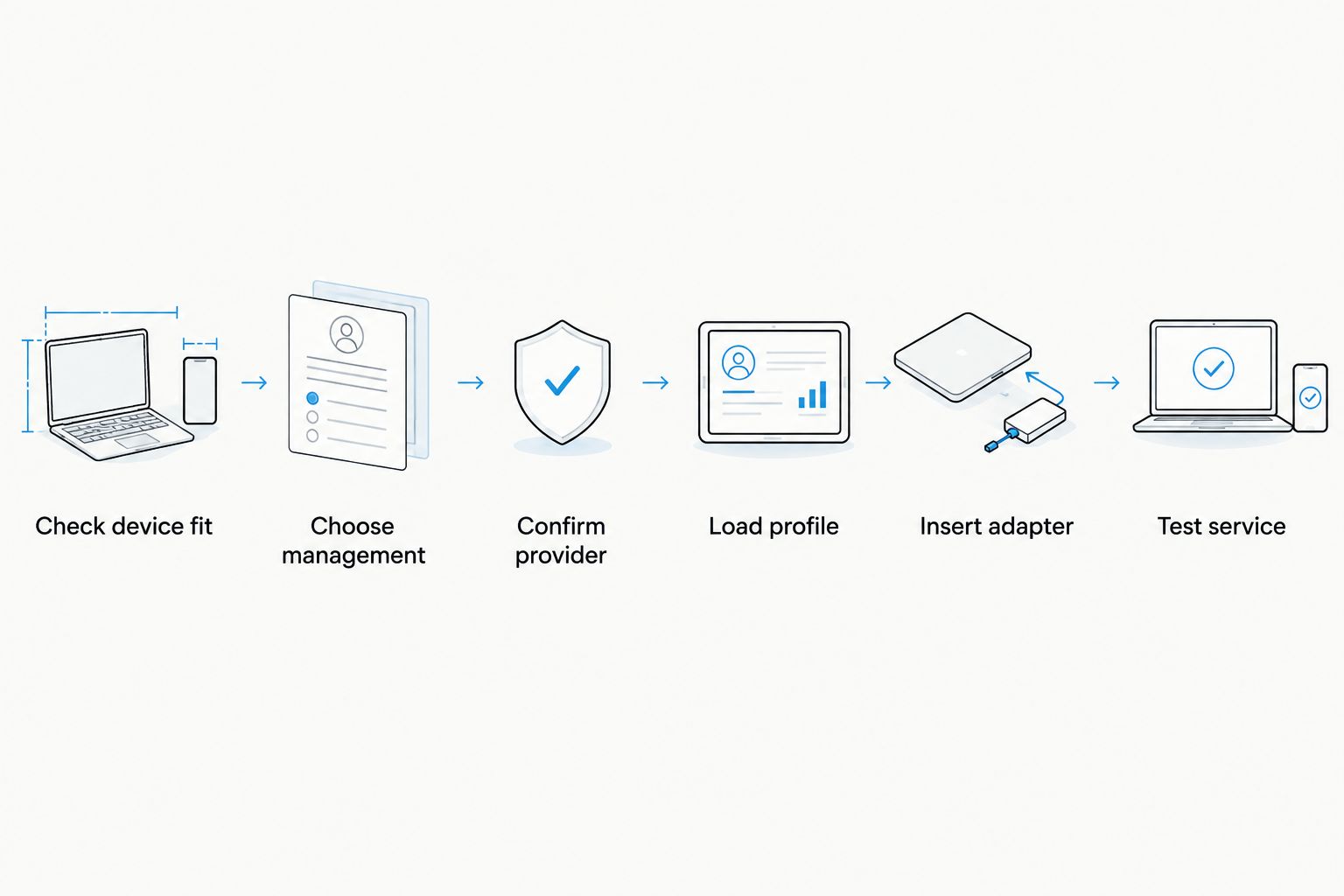
Follow the instructions for your exact adapter, reader and phone. This sequence separates the decisions that must happen before you remove a working carrier SIM.
- Check device fit. Confirm the physical slot, card format, model, regional variant, operating system and carrier status.
- Choose management. Use the verified Android-app path, configured-Max path or Bluetooth-reader provisioning path for your setup.
- Confirm provider. Check whether the provider supplies activation details supported by your loading method. Verify QR-code or manual-activation requirements before committing.
- Load profile. Provision the adapter using the documented method. Keep activation details private and follow the provider’s reuse restrictions.
- Insert adapter. Remove the carrier SIM according to your device instructions, store it safely and insert the configured adapter.
- Test service. Confirm network registration and data settings before depending on the connection. Check calls and messages only if the selected service includes them.
The original carrier SIM stays unmodified throughout. If you need to return to it, follow the phone’s card-removal instructions and reinsert it; do not assume that deleting an eSIM profile is required to swap physical cards.
Why eSIM adapter compatibility varies
The absence of cutting does not remove compatibility checks. For a 2026 setup, these factors determine whether the adapter, management method and mobile service work together:
- Physical slot and format: The target device must accept the adapter’s removable-card format.
- Model and regional variant: Confirm the exact hardware version, including its tray arrangement.
- Operating system: Profile-management support depends on the documented software requirements.
- Carrier-lock status: An adapter does not remove a phone’s carrier restriction.
- Network bands: The device must support the networks needed for the selected service.
- Provider activation: The loading method must accept the provider’s activation process.
Check every factor before treating a product’s Android or iPhone label as sufficient. Compatibility is a chain: the card must fit, the profile must load, and the device must connect to the intended network.
Can I keep my physical SIM and use an eSIM adapter together?
You can keep the original SIM intact, but simultaneous use depends on the phone’s supported slot and line configuration. A single physical slot cannot hold your carrier SIM and the adapter as separate cards at the same time.
If your phone has another supported SIM position, check its dual-SIM configuration and restrictions. Do not equate multiple stored eSIM profiles with multiple active phone lines.
Will an eSIM adapter transfer my existing number?
An adapter does not transfer your number merely because you insert it. Moving an existing subscription from a physical SIM to an eSIM profile is a carrier process, separate from buying adapter hardware.
Ask your carrier whether it supports that conversion and whether its activation process works with your chosen adapter. A destination-data profile is not a replacement for your home number unless the service explicitly provides that function.
Pre-purchase checklist for 2026
Buy for the verified setup, not the broadest compatibility phrase. Record your exact phone model and planned provisioning method so you can compare the product against a concrete requirement.
Confirm the physical slot, carrier status, supported operating system, profile capacity, profile-switching method and provider activation process. Then decide where your original carrier SIM will go and whether you need it active during adapter use.
Pre-loaded destination-data cards reduce the need to choose a separate initial profile, but they do not remove hardware checks. Confirm destination coverage, plan validity and device fit separately. Bulk or white-label options address supply requirements; they do not establish compatibility for every device in a fleet.
FAQ
Can I use an eSIM adapter without cutting my physical SIM?
Yes. Remove your carrier SIM and insert the adapter into a compatible physical SIM slot; your original SIM remains intact.
Can I use an eSIM adapter in a phone without a SIM tray?
No removable adapter can be inserted without a compatible physical SIM slot. Check native eSIM support instead.
Does Switch Pro manage profiles on an iPhone?
Switch Pro’s stated management path is Android-based through the Switch Android app. Do not assume that path is available on iOS.
Do I need an Android phone to load an adapter profile?
Not when you use the supported Bluetooth-reader provisioning path. Confirm compatibility between the reader, adapter and provider before choosing that setup.
Will my home number still work after I remove its SIM?
The removed carrier SIM is no longer connected through that phone’s slot. Keeping the same number active requires a separate supported line configuration or a carrier-approved subscription change.
Does an eSIM adapter unlock a carrier-locked phone?
No. An eSIM adapter does not remove carrier restrictions; confirm the phone’s lock status and the intended provider’s requirements.
Does a reader with no account make my eSIM anonymous?
No. The reader’s account requirements are separate from the eSIM provider’s identity, account and network requirements.
One last thing
Keep your working carrier SIM until the adapter connection is tested. Cutting is unnecessary, and preserving the original card gives you a straightforward physical fallback. Test the configured adapter before you depend on it for your main connection.



